
Supplying the cover as a spread is preferable for perfect bound work. If you want a plain white spine, supplying a spine file or a cover spread is optional.
Sizing the spread
You need two numbers: the final trim size, and the spine size for the issue you're building. Spine size changes with page count and paper stock, so it's specific to the issue. If you don't know it, ask your customer service representative — we'll calculate it for you.
Width
Twice the trim width, plus the spine.
Example. A magazine trimming to 8.375″ × 10.875″ with a 0.125″ spine needs a spread 16.875″ wide: (8.375″ × 2) + 0.125″.
Height
The same as the trim height of your publication — 10.875″ in the example above.
Building the layout
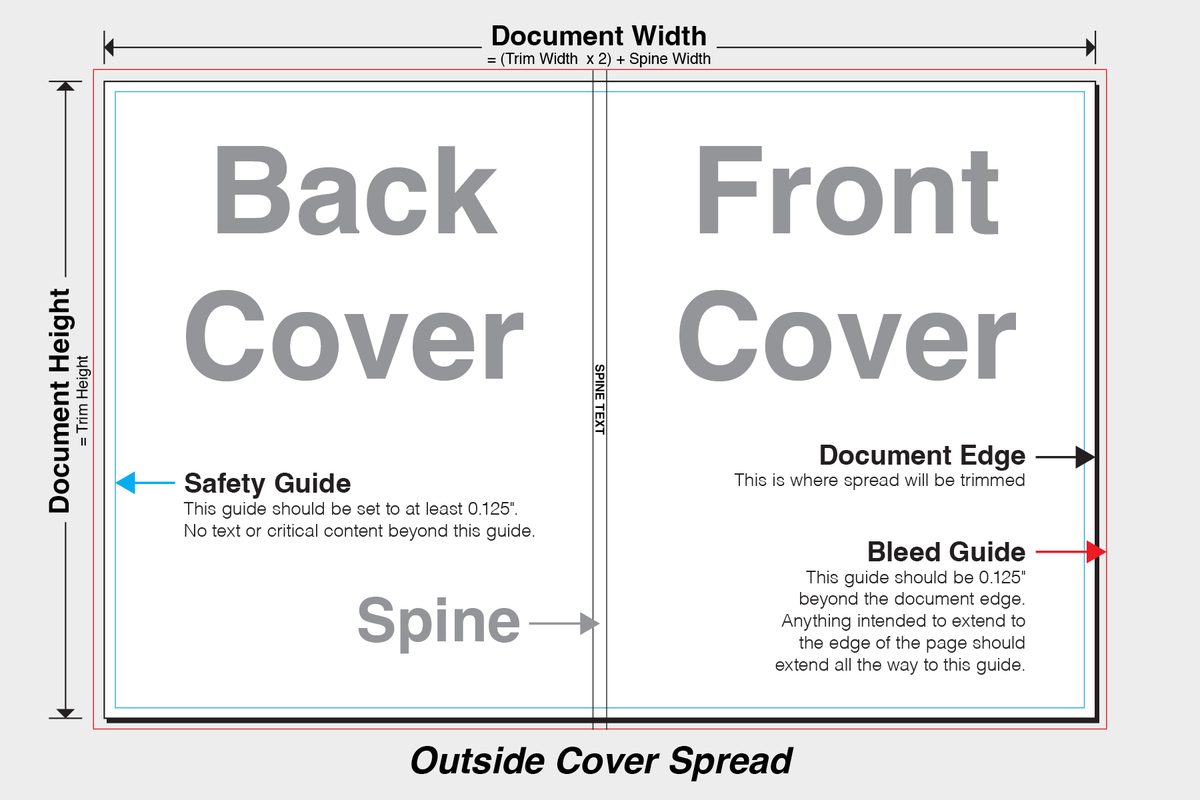
The spine must be centered between the back page and the front page, and it must be the correct size. Both matter — a spine that's off-center or the wrong width shows on the finished copy.
A shortcut: create a two-column document and set the gutter width to the spine width. If your layout program lets you set bleeds and margins at document creation, set both to 0.125″. That gives you every guide you need.
Outside cover spread
The spine sits in the gutter at the center. The back page goes to the left of the spine, the front cover to the right.
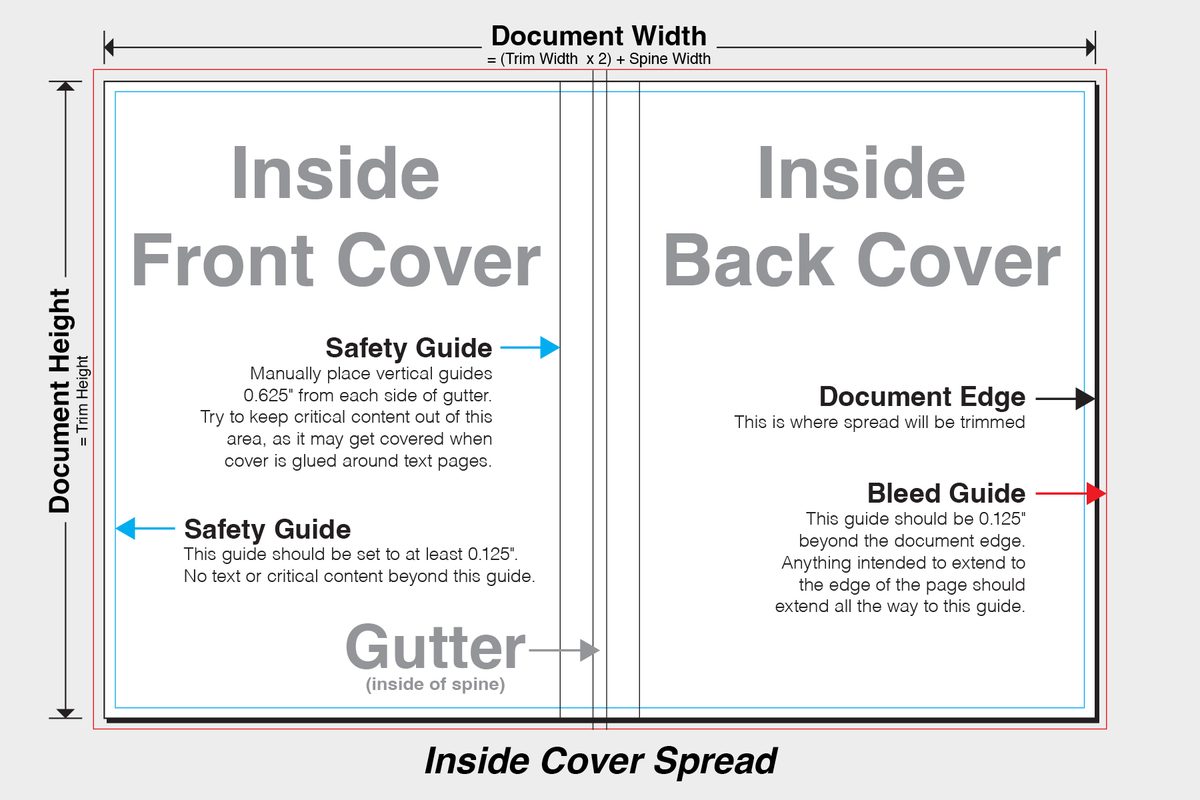
Inside cover spread
Optional, and built the same way, with two differences: no text or other critical elements in the spine section, and extra safety margin around the spine to account for where the cover is glued around the text pages.
The inside front cover goes on the left, the inside back cover on the right.
Need your spine size? Contact us or call (800) 824-1806 — your customer service representative can answer anything specific to your job.